
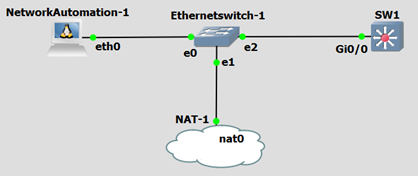
Step1: Configure the file with all IP details of multiple devices
nano myswitches
| 192.168.10.21 192.168.10.22 192.168.10.23 192.168.10.24 |
Step2: Configure file for the python script
nano configbackup.py
| import getpass import sys import telnetlib # Get Username & Password user = raw_input(“Enter your telnet username: “) password = getpass.getpass() # Open file with list of switches f = open (‘myswitches’) # Telnet to each switch and configure it for line in f: print “Getting running-config ” + (line) HOST = line.strip() tn = telnetlib.Telnet(HOST) tn.read_until(“Username: “) tn.write(user + “\n”) if password: tn.read_until(“Password: “) tn.write(password + “\n”) tn.write(“enable\n”) tn.write(“cisco\n”) tn.write(“terminal length 0\n”) tn.write(“show run\n”) tn.write(“exit\n”) readoutput = tn.read_all() saveoutput = open(“Backup_Switch_” + HOST, “w”) saveoutput.write(readoutput) saveoutput.close |
Step3: Give Command ‘ls’ to see all files

Step4: Command ‘cat’ to open any file . Ex – cat switch_192.168.10.21
Step5: To see any file line by line. You need to install ‘less’ by command – apt-get install less.
Command – less switch_192.168.10.21